


 Loading...



Play Geometry Dash Online for free and jump into a colorful rhythm adventure full of action and fun. Geometry Dash challenges you to guide a small cube through tricky paths filled with spikes and moving traps. Every jump must match the beat, making timing the key to success. The simple controls make it easy for kids to start playing right away.
As you progress, Geometry Dash becomes more exciting and challenging. Each level introduces new obstacles, faster speeds, and different gameplay styles. Players enjoy trying again after each fail, learning patterns, and improving their skills step by step. The music helps you stay focused and makes every level more engaging.
You can play Geometry Dash directly in your browser on PC, tablet, or mobile. No download or installation is needed, so you can start instantly. With quick retries and fun gameplay, the game keeps players coming back for more challenges and better scores.
About
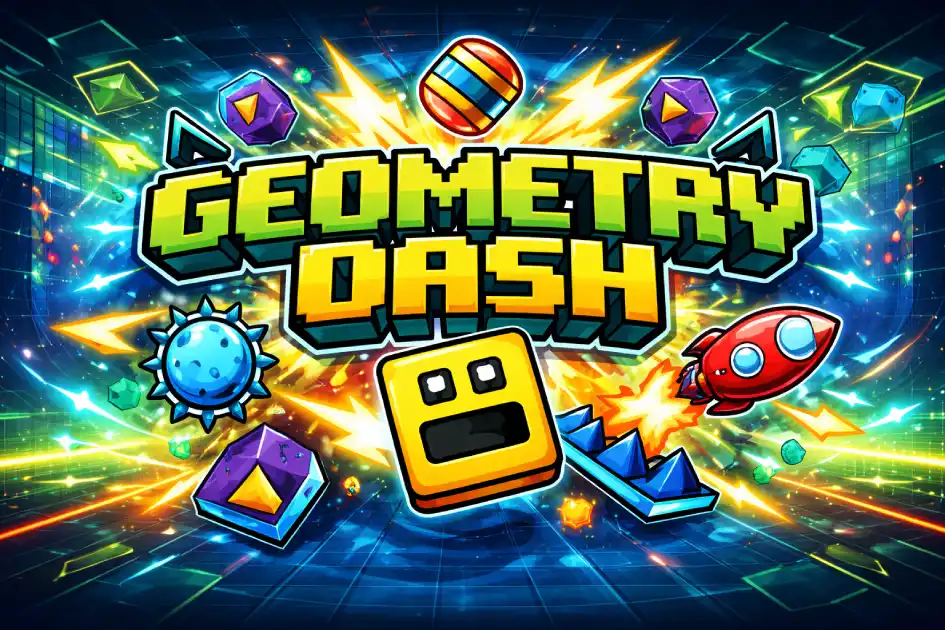
Geometry Dash is a popular rhythm game where timing is everything. Players guide a cube through levels filled with spikes and obstacles. The game reacts to music, making every jump feel connected to the beat. Each level has a unique design and sound.
Geometry Dash became famous for its simple design and challenging gameplay. Many players enjoy trying again after each failure. The quick restart helps players learn patterns faster. This makes the game fun and addictive.
Geometry Dash online lets you play without downloading. It works on most browsers and devices. You can enjoy the same experience on PC or mobile.
The game includes many levels with different difficulty stages. Beginners can start easy, while advanced players face extreme challenges. This balance keeps players engaged.
Gameplay Overview
In Geometry Dash, you move automatically forward. Your job is to jump at the right time. Missing a jump means restarting the level.
Levels are designed with rhythm in mind. Music helps you predict obstacles. Listening carefully improves performance.
The game becomes harder with speed changes and new mechanics. You will face flying sections and gravity shifts.
Players must memorize patterns to progress. Practice is key to success.
Bonuses and hidden coins add extra challenges. They require precise timing and skill.
Where to Play Geometry Dash: You can play on computers, phones, and tablets using your browser. No installation is needed, making it easy to start anytime.
How to Play Geometry Dash?
Start by clicking to jump over spikes. Timing is important, so avoid random clicks.
Follow the rhythm of the music. It helps you predict obstacles.
Practice early levels to learn movement patterns.
Avoid rushing. Focus on control instead of speed.
Retry often. Each attempt improves your skill.
Watch your mistakes and adjust your timing.
Quick Start
Tap or click to jump. Avoid spikes and gaps. Keep your rhythm steady.
Start with easy levels. Learn patterns before moving to harder stages.
Objectives and Victory Conditions
Your goal is to reach the end of each level. You must avoid all obstacles.
Progress depends on skill and timing. Each level increases difficulty.
Winning means completing the level without crashing.
Controls
Geometry Dash uses simple controls for all players.
Keyboard and Mouse
Press space or click to jump. Hold to control longer jumps.
Use timing carefully to avoid obstacles.
Touch Controls (Mobile)
Tap the screen to jump. Keep taps short and precise.
Use headphones to follow rhythm better.
Controller (Gamepad)
Use any button to jump. Choose a comfortable setup.
Controllers help with consistent timing.
Game Tips and Tricks
Improving in Geometry Dash requires practice and patience.
Tips for Beginners
- Start with easy levels
- Follow the music rhythm
- Stay calm after failure
- Practice daily
Advanced Strategies
- Memorize level patterns
- Use sound cues
- Focus on timing precision
- Learn from mistakes
FeaturesHow to Get Better at Geometry Dash
The game offers fun gameplay and strong replay value.
Main Features
- Rhythm gameplay: Moves match music beats
- Simple controls: Easy to learn
- Challenging levels: Test your skill
- Quick restart: Instant retry
What Makes It Special
Geometry Dash stands out with its rhythm-based design. Every move connects to music.
The challenge level keeps players engaged for long sessions.
Game Details
- System Requirements: Works in any browser with internet.
- Developer: RobTop Games
- Technology: HTML5 browser version
- Release Date: 2013
- Platform: PC, Mobile, Tablet
- Category: Arcade Geometry Dash
Performance and Troubleshooting
If the game lags, refresh the page. Close other tabs.
Check your internet connection for stability.
Enable hardware acceleration in your browser.
Play in fullscreen for better performance.
Latest Updates for 2026
In 2026, players are waiting for update 2.21. The community is very active and excited.
The “Explorers” level is expected to be a new Demon level. It may become one of the hardest official levels in Geometry Dash. It is also expected to join the current list of 26 official levels.
Versus Mode and The Map features are also expected to become fully playable. These additions may bring more competition and more social gameplay to the experience.
Platformer mode may also continue to grow. New adventure-style levels with rewards could be added to the Tower progression, giving players even more content to enjoy.
Is Geometry Dash free?
Geometry Dash can be played free in your browser. No registration needed.
Ads may support the platform, but gameplay remains accessible.
Is it safe?
Playing in a browser is safe. No installation is required.
Your data stays protected when using secure sites.
Avoid unknown downloads for safety.
Official Levels and Spin-offs
Official Levels
Geometry Dash includes 26 official levels with increasing difficulty. Each level becomes more challenging and tests your timing and memory skills.
- Easy: Stereo Madness, Back On Track
- Normal: Polargeist, Dry Out
- Hard: Base After Base, Can't Let Go
- Harder: Jumper, Time Machine, Cycles
- Insane: xStep, Clutterfunk, Electrodynamix
- Demon: Clubstep, Deadlocked
- Platformer Levels: The Tower, The Sewers
Each level offers a unique experience with new obstacles, speed changes, and rhythm patterns.
Spin-off Titles
Several versions of Geometry Dash exist, each offering a different experience with new music and shorter levels.
- Geometry Dash Lite
- Geometry Dash Meltdown
- Geometry Dash World
- Geometry Dash SubZero
These versions are perfect for quick play sessions and exploring new challenges.
How to Get Better at Geometry Dash
Improving in Geometry Dash takes time and patience. The game may look simple at first, but each level requires focus, rhythm, and practice.
- Start with official levels
- Skip secret coins at first
- Use practice mode often
- Follow the music rhythm
- Play levels matching your skill
- Focus on one level at a time
These steps help build strong skills and better timing. With regular practice, each attempt becomes easier and more controlled.
Where can I play Geometry Dash without being blocked?
You can play on trusted websites with HTTPS. If blocked, try another browser or network.
Download
You can also download the game on mobile if you want to play the official app version. It is available for both Android and iOS from the official stores. Always use trusted sources to keep your device safe. The browser version is great for quick play, while the app version is better if you want the full mobile experience.
• On Android: Open Google Play and follow the steps to install the game.
• On iOS (iPhone/iPad): Go to the App Store and tap “Get” or buy the game from the official page.
Similar Games to Geometry Dash
If you’re a fan of Puzzle Adventure, you’ll definitely enjoy these too:
- Geometry Dash SubZero
- Geometry Dash Meltdown
- Run 3
- Space Waves
FAQ
How to add Geometry Dash friend?
Geometry Dash does not use a direct “add friend” button. You can search for a player by username, open their profile, and follow them or send a message if messaging is enabled. You need to be logged into your account to use these features.
How to transfer Geometry Dash data from iPad to PC?
You can transfer your data using your account. First, open the game on your iPad and go to Settings, then Account, and tap “Save.” After that, log in on your PC, go to Settings, Account, and tap “Load” to sync your progress.
How to enable RTX in Geometry Dash?
Geometry Dash does not support RTX or ray tracing. The game uses simple 2D graphics, so advanced lighting features like RTX are not available. Some visual mods exist, but they are not official.
How to start at a certain percentage in Geometry Dash?
You cannot start at a specific percentage in normal mode. You can use Practice Mode to place checkpoints and continue from there. This helps you train on difficult parts of a level.
What is TPS in Geometry Dash?
TPS means “Ticks Per Second.” It shows how often the game updates movement. A higher TPS can make gameplay feel smoother and more precise, especially for advanced players.
Conclusion
Geometry Dash is a fun and exciting game that mixes music with fast action. It may look simple, but every level brings a new challenge that tests your timing and focus. Players of all ages can enjoy it, whether they are just starting or trying to beat harder levels.
One reason Geometry Dash stays so popular is how easy it is to start and how rewarding it feels to improve. You can play for a few minutes or for a long session, and each try helps you learn the level better. This makes the game enjoyable for kids, teens, and anyone who likes quick skill-based fun.
If you are ready for a game that is simple to learn and exciting to master, Geometry Dash is a great pick. Start playing now, test your reflexes, and check out more fun games on our site.