

 Loading...









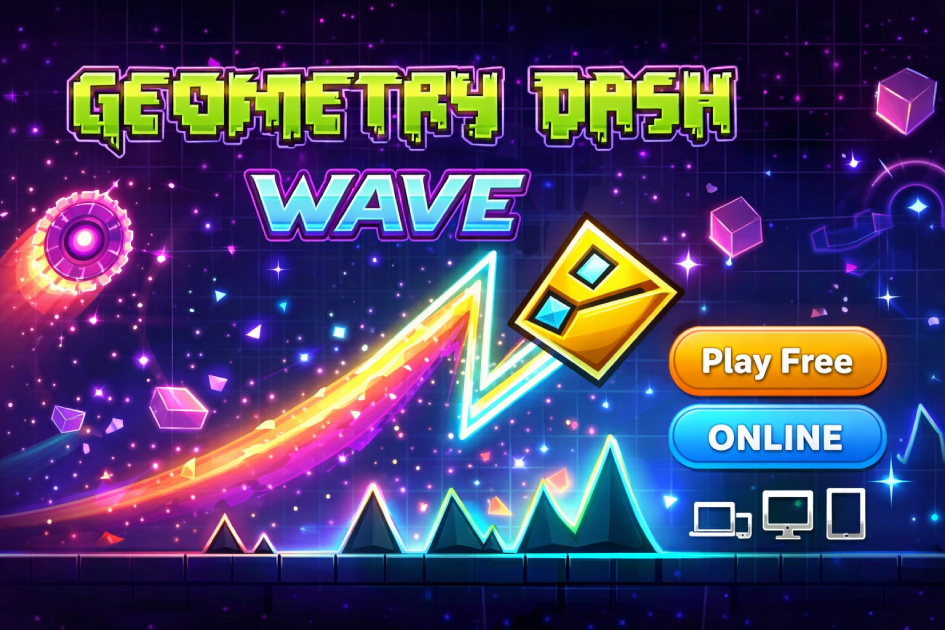
Play Geometry Dash Wave Online for free and jump into one of the fastest challenges in the Geometry Dash series. This mode tests your reflexes with sharp zigzag moves through tight spaces and tricky obstacles. Each tap controls your path, and even a small mistake can send you back to the start. This makes every run exciting and keeps you focused from the first second.
Geometry Dash Wave is easy to learn but hard to master. The simple controls make it perfect for kids and beginners, while the fast gameplay keeps experienced players engaged. Levels become more difficult as you progress, pushing your timing and precision to the limit. The more you play, the better your control and reaction speed become.
You can enjoy Geometry Dash Wave online on your browser, phone, or tablet with no download needed. This makes it easy to play anytime, anywhere. If you like skill games that challenge your focus and improve your reflexes, this game is a great choice to test yourself and have fun.
About Geometry Dash Wave
Geometry Dash Wave is a fast-paced arcade game mode. It is part of the popular Geometry Dash experience. Players must guide a wave through narrow paths filled with obstacles.
The gameplay is simple but very challenging. One mistake sends you back to the start. This makes each run exciting and intense.
The wave moves in a zigzag pattern. You tap or click to go up and release to go down. This creates a constant rhythm of motion.
Levels increase in difficulty. Early stages help you learn the basics. Later levels test your timing and control.
Gameplay Overview
The main goal is to survive as long as possible. You must avoid spikes, walls, and tight corners.
Each level has a unique design. Some focus on speed, while others test precision.
Practice mode helps players improve. You can learn sections step by step.
The game rewards consistency. Small improvements lead to better scores.
The challenge grows with each attempt. This keeps players engaged.
Where to Play Geometry Dash Wave
You can play directly in your browser. It works on PC, mobile, and tablets. No download is needed.
How to Play Geometry Dash Wave?
Start by clicking or tapping to control the wave. Hold to move up and release to go down.
Focus on timing. Each movement must match the level layout.
Watch the path ahead. Quick reactions are important.
Practice difficult sections often. This builds muscle memory.
Avoid rushing. Control is better than speed.
Stay calm after mistakes. Restart and try again.
Quick Start
Open the game in your browser. Click to begin immediately.
Try easy levels first. Learn the movement pattern before harder stages.
Objectives and Victory Conditions
The main objective is to complete the level without crashing.
Progress depends on your accuracy and timing.
Winning means reaching the end of the level successfully.
Controls
The controls are simple and easy to learn.
Keyboard and Mouse
Click the mouse or press space to move up. Release to go down.
Use short taps for tight spaces. Longer holds help in open areas.
Touch Controls (Mobile)
Tap the screen to control the wave. The movement is smooth and responsive.
Keep your finger steady. Avoid fast random taps.
Controller (Gamepad)
Use a single button to control movement. It feels similar to keyboard play.
Choose a comfortable button for better control.
Game Tips and Tricks
Improving your skills takes practice and patience.
Tips for Beginners
- Start with easy levels
- Focus on timing
- Practice daily
- Stay calm during mistakes
Advanced Strategies
- Learn level patterns
- Use practice mode often
- Control speed carefully
- Predict upcoming obstacles
Features of Geometry Dash Wave
This mode offers unique gameplay that keeps players engaged.
Main Features
- Fast wave movement
- Challenging levels
- Simple controls
- Practice mode
What Makes It Special
The wave mode stands out for its precision gameplay. Every move matters.
It offers quick retries. Players can improve fast.
Game Details
- System Requirements: Works on any browser with internet. No installation needed.
- Developer: RobTop Games
- Technology: HTML5
- Release Date: 2015 (Wave mode introduced)
- Platform: PC, Mobile, Tablet
- Category: Arcade Games
Performance and Troubleshooting
If the game lags, refresh the page. Close unused tabs.
Enable hardware acceleration in your browser.
Use full screen mode for better focus.
Ensure a stable internet connection.
Updates
Recent updates improved performance and added smoother controls.
Geometry Dash Wave online
The version of Geometry Dash Wave on our website is designed to be played directly in your browser with no download needed. This modified version of the popular game Geometry Dash Wave runs smoothly and loads quickly for instant play.
You can enjoy the game on all major browsers such as Google Chrome, Mozilla Firefox, Microsoft Edge, Safari, and Opera. This makes it easy to play anytime on any device.
Geometry Dash Wave for Free
You can play the modified version of Geometry Dash Wave for free online without paying any fees or making in-game purchases. Everything is available from the start, so you can enjoy the full experience.
All games on our website are free to play, giving you unlimited access to fun and exciting challenges anytime you want.
Can you play Geometry Dash Wave unblocked?
Yes, you can play Geometry Dash Wave unblocked on our website ursiteurl.com. Whether you are at school, in class, at work, or on a break, you can enjoy the game without any restrictions.
Geometry Dash Wave unblocked 76
By playing on our website, you do not need to search for Geometry Dash Wave unblocked 76, unblocked 66, or unblocked iOS. The version available on our site works on all networks and devices for free.
Similar Games to Geometry Dash Wave
If you’re a fan of Puzzle Adventure, you’ll definitely enjoy these too:
- Geometry Dash Lite
- The Impossible Game
- Dash Geometry
- Wave Dash
Download Geometry Dash Wave
You can also enjoy Geometry Dash Wave on your mobile device for a smooth and full experience. The game is available on both Android and iOS, making it easy to play anytime.
• On Android: Open Google Play and install the game in a few seconds.
• On iOS (iPhone/iPad): Go to the App Store and tap “Get” to start playing.
Note: Always download the game from official stores like Google Play or the App Store to keep your device safe. Avoid unknown sources, as they may harm your device or steal your data.
FAQ
How to get Bullet Bill Wave in Geometry Dash?
The Bullet Bill Wave is a custom design created by players using the level editor. You can get it by downloading levels shared by the community or by creating your own wave style inside the editor.
What color portal is wave in Geometry Dash?
The wave portal in Geometry Dash is usually purple. When you pass through it, your icon changes into the wave form with zigzag movement.
What Geometry Dash level introduces the wave?
The wave mode is first introduced in the level "Blast Processing." This level helps players learn how the wave movement works.
Which portal is the wave in Geometry Dash?
The wave mode is activated by entering the purple portal. Once you pass through it, your character switches to wave control instantly.
Is Tidal Wave the hardest level in Geometry Dash?
Tidal Wave is considered one of the hardest levels by many players. It requires extreme precision, fast reactions, and a lot of practice to complete.
Conclusion
Geometry Dash Wave is a simple game to start but a real challenge to master. The fast zigzag movement keeps you focused, and each level helps you improve your timing and control. It is a great choice for players who enjoy skill-based games.
The game runs smoothly on browser, mobile, and tablet with no download needed. You can play anytime and try again as many times as you want. Each attempt makes you better and more confident.
If you like fun and fast games that test your reflexes, Geometry Dash Wave is perfect for you. Start playing now and see how far you can go!